Table of Contents
- Part 1: The Old Rules Are Dead
- —Why Complexity Rules Failed
- —Why Mandatory Rotation Failed
- Part 2: The New Rules
- —Rule 1: Length Over Everything
- —Rule 2: Use Passphrases, Not Passwords
- —Rule 3: Every Account Gets a Unique Password
- —Rule 4: Screen Against Known Breaches
- Part 3: Your Essential Password Security Toolkit
- —Password Managers: Non-Negotiable in 2026
- —Multi-Factor Authentication (MFA): Your Safety Net
- —Passkeys: The Future Is Here
- Part 4: Common Myths Debunked
- —Myth: "I don't need a password manager — I have a system"
- —Myth: "Writing passwords down is always bad"
- —Myth: "My accounts aren't worth hacking"
- —Myth: "Longer passwords are harder to type"
- —Myth: "Passkeys are just another password"
- Part 5: Quick-Reference Action Plan
- —If You Do Nothing Else, Do These Three Things
- —Full Implementation Checklist
- Final Thoughts
The Ultimate Guide to Password Security: Everything Has Changed
Almost everything you were taught about passwords is wrong.
Change your password every 90 days? Wrong. Use at least one uppercase letter, one number, and one special character? Counterproductive. Make it 8 characters minimum? Dangerously insufficient.
In 2026, the science of password security has fundamentally shifted, driven by updated NIST guidelines (SP 800-63B, Revision 4), real-world breach data, and the rise of new authentication technologies like passkeys. This comprehensive guide covers everything you need to know — and unlearns everything you need to forget.
Part 1: The Old Rules Are Dead
Why Complexity Rules Failed
For decades, organizations enforced password composition rules: must contain uppercase, lowercase, numbers, and symbols. The logic seemed sound — more character types means more combinations and harder cracking.
In practice, these rules produced the opposite effect:
- Predictable patterns: When forced to include a capital letter, people capitalize the first letter. When forced to add a number, they append "1." When forced to add a symbol, they use "!". The result:
Password1!— which satisfies every composition rule and is cracked in under a second. - User frustration: Complex rules lead to forgotten passwords, increased reset requests, and users writing passwords on sticky notes.
- False security: An 8-character password with full complexity (
P@ss1!xZ) has approximately 6 quadrillion combinations. A 20-character lowercase-only passphrase (purplecoffeerunningfast) has approximately 19 sextillion combinations — over 3,000 times harder to crack.
Why Mandatory Rotation Failed
Forcing users to change passwords every 30, 60, or 90 days was standard practice for decades. NIST now explicitly recommends against it. The evidence:
- Users create predictable sequences:
Summer2025!→Fall2025!→Winter2026! - Frequent changes increase the likelihood of choosing weak passwords
- Rotation provides no protection against real-time credential theft (phishing, keyloggers)
- The administrative burden is enormous with no measurable security benefit
NIST's 2026 guidance: Change passwords only when there is evidence of compromise — not on a calendar schedule.
Part 2: The New Rules
Rule 1: Length Over Everything
The single most important factor in password strength is length. Every additional character exponentially increases the time required for a brute-force attack.
Here's how password length affects cracking time with 2026-era hardware:
- 8 characters (full complexity): ~2 hours
- 12 characters (full complexity): ~3 years
- 16 characters (lowercase only): ~500 years
- 20 characters (lowercase only): ~15 million years
- 24 characters (mixed case + numbers): Effectively infinite
Minimum recommendation: 15 characters. 20+ is ideal. Use SecureGen to generate passwords at any length with true cryptographic randomness.
Rule 2: Use Passphrases, Not Passwords
A passphrase is a string of random, unrelated words that creates a long, memorable, and strong credential.
How to create a strong passphrase:
- Choose 4–6 random, unrelated words (don't use song lyrics, quotes, or common phrases)
- Optionally capitalize one word or add a number for additional entropy
- Make it personal enough to remember but random enough to resist guessing
Good examples:
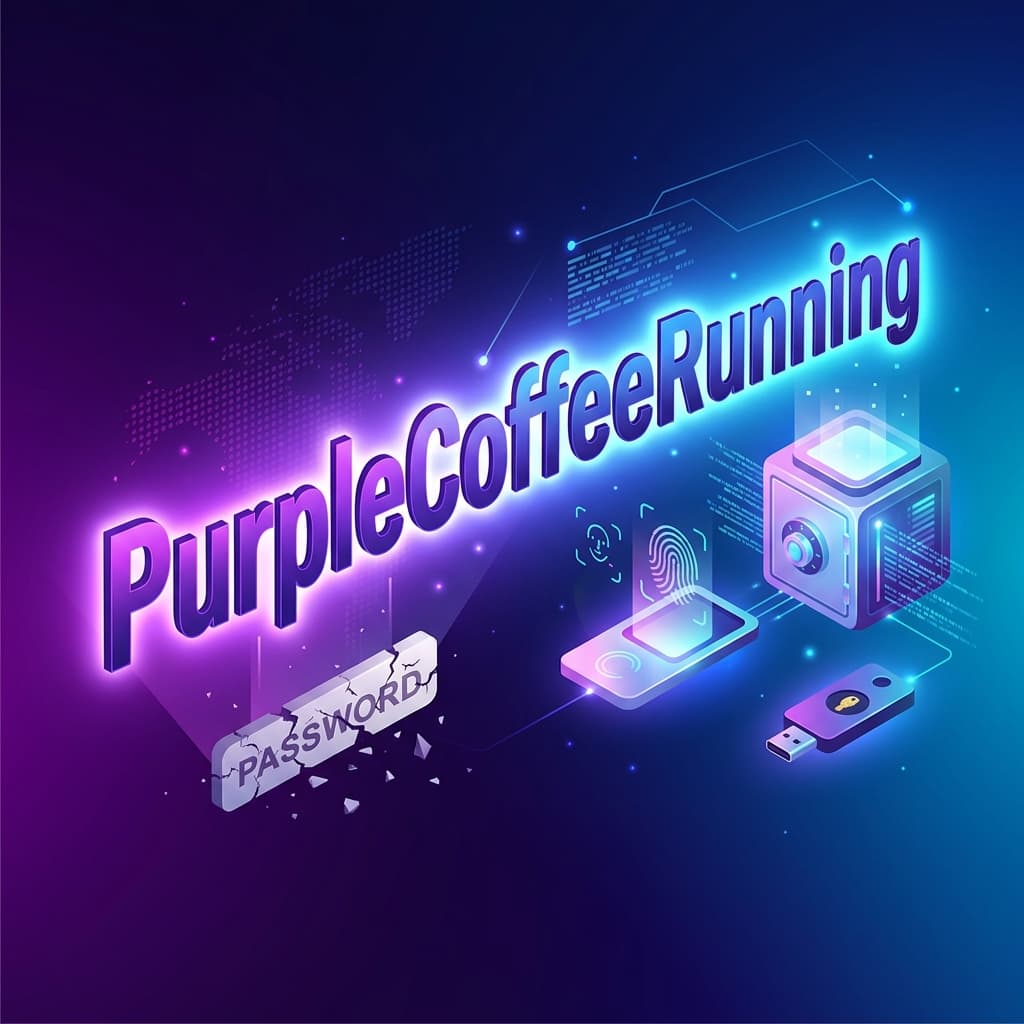
CactusBridgeMonkeyLantern(25 characters, extremely strong)ocean.telescope.running.forty2(30 characters, easy to type)PurpleCoffeeRunning2026(23 characters, memorable)
Bad examples:
CorrectHorseBatteryStaple(too famous — from the XKCD comic, now in every dictionary)ILoveMyDog2026!(predictable personal information)ToBeOrNotToBe(famous quote, easily guessed)
Rule 3: Every Account Gets a Unique Password
Password reuse is the #1 cause of account compromise. When one service is breached, attackers test those credentials against thousands of other services (credential stuffing). If you reuse passwords, a single breach can cascade across your entire digital life.
The solution: use a password manager to generate and store a unique, random password for every account. Use SecureGen to create the strongest possible credentials.
Rule 4: Screen Against Known Breaches
Before accepting any password, check it against databases of known compromised credentials:
- Visit haveibeenpwned.com/Passwords
- Enter your password (the site uses k-anonymity — your full password is never transmitted)
- If it appears in breach data, change it immediately
Part 3: Your Essential Password Security Toolkit
Password Managers: Non-Negotiable in 2026
A password manager is the foundational tool of modern password security.
What it does:
- Generates random, unique passwords (20+ characters) for every account
- Stores them in an encrypted vault protected by one master password
- Auto-fills credentials on websites and apps
- Alerts you to weak, reused, or breached passwords
Top picks for 2026:
- Bitwarden — Open-source, audited, $10/year. Best value.
- 1Password — Beautiful UX, excellent family sharing, $36/year.
- Proton Pass — Swiss privacy, integrated with Proton ecosystem, $48/year.
- Apple Passwords — Built into iOS/macOS, free. Seamless for Apple households.
Your master password is the one password you must memorize. Make it a strong passphrase (20+ characters, random words). This is the key to your entire digital life — treat it accordingly.
Multi-Factor Authentication (MFA): Your Safety Net
Even the strongest password can be stolen through phishing. MFA adds a second verification layer.
MFA methods ranked by security (best to worst):
- Hardware security keys (YubiKey, Google Titan) — Phishing-proof, tamper-resistant
- Passkeys (biometric authentication) — Phishing-resistant, incredibly convenient
- Authenticator apps (Ente Auth, Google Authenticator) — Strong, time-based codes
- SMS codes — Better than nothing, but vulnerable to SIM-swapping attacks
Minimum recommendation: Enable authenticator app-based MFA on all critical accounts (email, banking, social media, cloud storage).
Passkeys: The Future Is Here
Passkeys are the most significant advancement in authentication since the invention of the password. They are cryptographic credentials stored on your device that:
- Eliminate passwords entirely for supported services
- Cannot be phished — they are cryptographically bound to the specific website
- Cannot be stolen in data breaches — the server never stores your passkey
- Are incredibly convenient — authenticate with fingerprint, face scan, or device PIN
Services supporting passkeys in 2026 include Google, Apple, Microsoft, Amazon, PayPal, GitHub, WhatsApp, LinkedIn, X, eBay, Best Buy, Shopify, Uber, and hundreds more.
How to set up a passkey (example: Google):
- Go to myaccount.google.com → Security
- Under "How you sign in" → Passkeys → Create a passkey
- Authenticate with your device biometric
- Done — future logins use biometrics instead of typing a password
Our recommendation: set up passkeys on every service that supports them. Keep your password + MFA as a backup method.
Part 4: Common Myths Debunked
Myth: "I don't need a password manager — I have a system"
Reality: Human-designed "systems" (base word + site abbreviation, rotating numbers, etc.) create predictable patterns that AI-powered cracking tools can identify. A password manager generates truly random credentials that no system can match.
Myth: "Writing passwords down is always bad"
Reality: Writing down a unique, strong password and storing it in a physically secure location (locked drawer, not a sticky note on your monitor) is actually safer than reusing a memorized password across multiple sites. That said, a password manager is still the better solution.
Myth: "My accounts aren't worth hacking"
Reality: Attackers don't target individuals — they target databases. Your reused password in a breached forum could give an attacker access to your email, which gives them access to password resets for your banking, shopping, and social media accounts.
Myth: "Longer passwords are harder to type"
Reality: With a password manager auto-filling credentials, you never type your passwords. And for the one passphrase you do memorize (your master password), passphrases are actually easier to type than complex strings like xK#9mQ!2pL.
Myth: "Passkeys are just another password"
Reality: Passkeys use public-key cryptography. Unlike passwords, the secret (private key) never leaves your device and is never shared with the server. Even if the server is breached, your passkey remains secure.
Part 5: Quick-Reference Action Plan
If You Do Nothing Else, Do These Three Things
- Install a password manager and start replacing your most critical passwords with unique, 20+ character random passwords generated by SecureGen
- Enable MFA on your email accounts — email is the master key to all your other accounts
- Set up passkeys on Google, Apple, and Microsoft accounts
Full Implementation Checklist
- Install and configure a password manager
- Create a strong master passphrase (20+ characters, random words)
- Import existing passwords from your browser
- Replace all reused and weak passwords (prioritize email, banking, social media)
- Enable MFA on all critical accounts
- Set up passkeys where available
- Check all email addresses at haveibeenpwned.com
- Change passwords for any breached accounts
- Set up breach monitoring alerts
- Remove old composition rules and rotation policies from systems you manage
- Share this guide with family members — their security affects yours
Final Thoughts
Password security in 2026 is both simpler and more effective than the complex, frustrating rules of the past. The formula is straightforward:
Length over Complexity. Uniqueness over Rotation. Passkeys over Passwords.
Invest an afternoon in setting up the right tools, and you'll have protection that withstands the vast majority of modern attacks. The hardest part isn't the technology — it's unlearning the old habits.
Your digital security is only as strong as your weakest credential. Use SecureGen to make sure none of them are weak.
Tags
Fact Checked by SecureGen Editorial Team
Authenticity Disclosure: This article was drafted with the assistance of AI tools for structural research. It was subsequently rigorously fact-checked, edited, and expanded by our Security Editorial Team to guarantee technical accuracy and alignment with modern cryptographic standards.
Author
SecureGen Team
Cybersecurity Expert & Developer
SecureGen Team is a dedicated security researcher focused on privacy-centric tools and cryptography. They write to educate users on protecting their digital identities with strong, client-side encryption and modern Web Crypto API standards.
Frequently Asked Questions
QWhat is this blog post about?
Forget everything you knew about passwords. This comprehensive guide covers NIST's latest standards, passphrases, passkeys, password managers, and the death of mandatory password rotation.
QHow long does it take to read this article?
This article requires approximately 16 min read to read completely.
QWho authored this blog post?
This article was written by SecureGen Team, an expert in password security and cybersecurity best practices.
QIs this information up to date?
Yes, this article was published on May 23, 2026 and contains current information about password security practices.